Recycled Cells with DrawnUI — Part II
Hot summer, cool lists — pick the right setup and scroll a million rows without warming up the phone
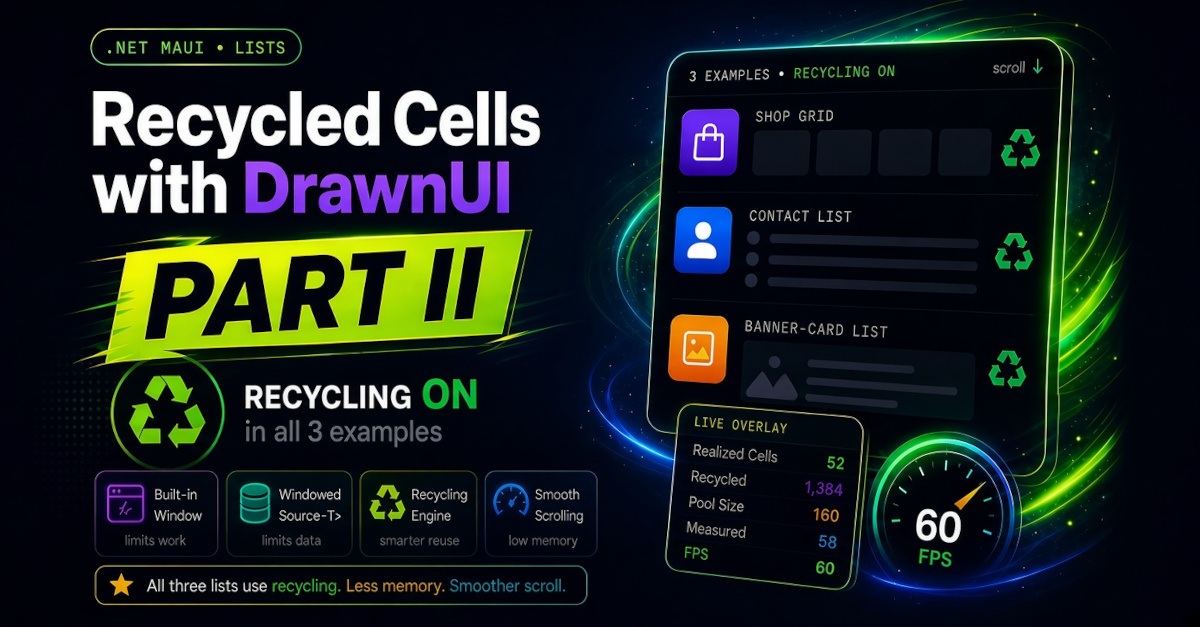
In the first part we built two drawn lists — a news feed and a chat, both with uneven rows. After a month I felt more examples with even rows could be provided to demonstrate how to create cross-platform recycled drawn lists. Also, while writing this part, I added some more optimizations to the recycling engine.
Previously we showed a hybrid recycling for chat: the adapter wasn’t recycling cells, but the page itself was, by reusing the same cells for new chunks of data. In the following three examples we have RecyclingTemplate="Enabled" everywhere for a more standard approach.
The sample app
So now, 3 more examples: two of them are demonstrated on the web (thanks Blazor), all three available in MAUI. Sample app, DrawnCells: three lists — a shop grid, a contact list, a banner-card list — with a live overlay at the bottom, so you can watch the list engine work while you scroll. Try it right here — scroll, and switch between the lists with the button:
DrawnCells demo, written in C#, drawn on a SkiaSharp canvas — the same code compiled for the browser. The MAUI app also includes variant C, which is XAML-only.
You will find the small cells code (Variant B) in the new DrawnUI fiddle, where you can play with coding on the SkiaSharp canvas online — everything compiles and renders on the fly in the browser.
The DrawnCells sample is a small MAUI app made for this article. One button switches between three lists, and an overlay at the bottom shows the live state of the list engine — the window range, the visible rows, the cached picture.
- A — a shop-like grid, two columns, loaded page by page from a mock server, on
SkiaCachedStack. - B — a 1000-row contact list on
SkiaCachedStack. - C — a banner-card list built in XAML on a plain stack with
MeasureFirst.
All three examples use even rows, and all three pass 1000 items, so the built-in window is on and you can watch it work. The web demo at the top of this article is this same app compiled for the browser (variants A and B; the XAML variant C is in the MAUI app only).
Here is the starting point, variant C in short form. A SkiaScroll with a SkiaLayout inside a Canvas. Give the layout your items and a cell template:
1
2
3
4
5
6
7
8
9
10
11
12
13
14
15
16
17
18
19
20
21
<draw:Canvas RenderingMode="Accelerated" Gestures="Enabled"
             HorizontalOptions="Fill" VerticalOptions="Fill">

    <draw:SkiaScroll HorizontalOptions="Fill" VerticalOptions="Fill">

        <draw:SkiaLayout
            Type="Column"
            ItemsSource="{Binding Items}"
            RecyclingTemplate="Enabled"
            MeasureItemsStrategy="MeasureFirst"
            Virtualisation="Enabled">

            <draw:SkiaLayout.ItemTemplate>
                <DataTemplate>
                    <!-- your cell -->
                </DataTemplate>
            </draw:SkiaLayout.ItemTemplate>

        </draw:SkiaLayout>
    </draw:SkiaScroll>
</draw:Canvas>
That already recycles. A small set of real cells is created, and cells that leave the screen are reused for the items coming in. It is the drawn equivalent of CollectionView, and this exact setup is fine for many apps.
A note on names: SkiaStack is simply a SkiaLayout with Type="Column". Same control, shorter to write. The XAML above uses the long form.
MeasureItemsStrategy="MeasureFirst" enables fast measuring for even rows.
I will touch breifly some details about implementations of variants A, B and C, then cover the used recycing mecanics in general.
A — shop grid, two columns
Multi-column is one property on the stack: Split="2". The layout places items two per row; with Split you can turn any templated list into a grid.
1
2
3
4
5
6
7
8
Content = new SkiaCachedStack
{
    Split = 2,                       // two columns
    ItemsSource = vm.Items,
    ItemTemplate = CreateProductCellTemplate(),
    Spacing = 10,
    Padding = new Thickness(10, 12),
}
The data comes page by page from a mock server: LoadMoreCommand fetches the next page at the list end, pull-to-refresh (RefreshEnabled + RefreshCommand) reloads page one, and a footer shows a spinner while a page is loading. One detail matters for Split: append pages with ObservableRangeCollection.AddRange, one collection event per page. Appending items one by one into a split layout stacks single-item rows — the “all rows became one column” surprise.
Each product card also has a tappable heart, to mimic adding and removing from favorites or cart. It does not touch the cell — it toggles the boolean bindable property IsFav on the item model, and the cell repaints from data. This way the state survives recycling: scroll away and back, the heart is still red.
B — contact list, small rows
Many small rows visible at once — the SkiaCachedStack case: it records all visible cells into one cached picture and draws that single picture while you scroll, instead of twenty separate cells per frame.
The cell fills itself with a compiled, typed observer — no string property names, and it re-fires when the recycled cell receives a new item:
1
2
3
4
5
6
.ObserveBindingContext<SkiaLayout, ContactItem>((me, item, prop) =>
{
    initials.Text = item.Initials;
    title.Text = item.Name;
    subtitle.Text = item.Subtitle;
});
Rows play a ripple when tapped — one property on the cell root, AnimationTapped = SkiaTouchAnimation.Ripple.
C — banner cards in XAML
The XAML variant from the starting point above, with a FastCell : SkiaDynamicDrawnCell filling tagged children in SetContent — the Part I approach. Two extras worth noting: every card hosts a SkiaDrawer, so you can swipe the card content aside, and the banner images load lazily per visible cell (LoadSourceOnFirstDraw), so scrolling does not burst fifty downloads at once.
Big data on a small screen
Maybe your list has a million rows. Or your chat loads from a server that never ends. You cannot put all of it on screen and You cannot even keep all of it in memory. So you show a small part, and you slide that part as the user scrolls.
In Part I the chat did this by hand. It kept about 150 messages, loaded more when the user reached an edge, and dropped items from the other side. It worked. But every app with a big list would have to write that same code again.
The library now helps on two levels — and they are two different things:
- The built-in window limits the work: cells, measuring, drawing. Your collection stays whole in memory; the list just stops materializing views for items far from the screen. It engages automatically on a big list, or from the first item with
ForceItemsWindow. Part I had nothing like this. WindowedSource<T>limits the data: only a bounded slice of items in memory, the rest stays behind your data source. This is what the Part I chat wrote by hand, now a library class.
The built-in window first.
Let the list limit itself
A DrawnUI received an enhancement, the recycled views adapter along with the stack keep a small window of items near the screen and slide that window over your data. Items far from the screen get no cells, no measuring, no memory.
You do not need to do anything, when your list grows past WindowSourceThreshold items (300 by default), the window turns on by itself. In case you want it on from the first item, set one flag:
1
2
3
4
5
6
7
8
new ChatMessagesStack
{
    ForceItemsWindow = true,          // window on from the first item
    ItemTemplate = new DataTemplate(() => new ChatCell()),
    ItemsSource = _messages,          // your normal growing collection
    BackgroundMeasurementBatchSize = LoadBatch,
    ItemTemplatePoolSize = MaxItemsInMemory + LoadBatch + 5,
}
ChatMessagesStack is the chat sample’s own stack. Any templated SkiaLayout behaves the same. In that sample LoadBatch is 50 and MaxItemsInMemory is 200.
You keep using your collection as usual — Insert, AddRange — and the list decides which items stay active.
What it limits, and what it does not
Give the list one million items. It limits three things:
- The drawn slice. Drawing works with about three or four screens of items, not with your million.
- The measured structure. Only that slice is measured. A few hundred rows, never a million.
- The cells. Real cell views exist only for that slice.
One thing it does not limit: your own collection. Your million model objects stay in memory. The window only slides over them. For small objects like chat messages this is usually fine.
When even the data is too big
Now picture millions of rows in a database or on a server. You cannot hold the collection at all. So the window must limit the data too, not only the cells. This is exactly what the Part I chat did by hand. The library now has a ready piece for it, WindowedSource<T>:
1
2
3
4
5
6
7
8
9
_window = new LimitedSource(LoadBatch, MaxItemsInMemory);   // WindowedSource<ChatMessage>
_window.SetDataSource(_service);                            // your "server"
_window.SetHost(new SkiaScrollWindowHost(MainScroll, ChatStack));

ChatStack.ForceItemsWindow = false;    // the app owns the window now
ChatStack.ItemsSource = _window.Items; // only the loaded slice, never the full history

MainScroll.LoadMoreCommand    = new Command(() => _window.LoadOlder());
MainScroll.LoadMoreTopCommand = new Command(() => _window.LoadNewer());
_window.Items holds at most MaxItemsInMemory items, 200 in the sample. LoadOlder loads a page of older items and drops the same number of newest ones. LoadNewer does the opposite. The full history stays behind your data source, and the list never sees it. Ten items or ten million behind that source, the memory stays the same 200.
Which case is yours?
| Your data | What to do | Who limits memory |
|---|---|---|
| Small, fixed | Just load it | Nobody needs to |
| Grows one way (feed) | AddRange + LoadMoreCommand | Recycling caps cells; collection grows |
| Large, fits in memory | Built-in window (automatic, or ForceItemsWindow) | The list |
| Too large for memory | WindowedSource<T> | Your app, with a hard cap |
Start with the built-in window. Same result, less code. The chat sample ships both windowed paths behind a developer menu, so you can switch between them live and compare.
Which setup for your list?
The chat is the heavy case. Most lists are lighter. Two questions place almost any list.
Are all rows the same height?
- Yes → keep
MeasureItemsStrategy="MeasureFirst". The list measures one cell and reuses that height for every row, so startup is fast. But the heights must be truly identical. Any difference breaks the layout. - No, like chat messages or feed posts → use
MeasureItemsStrategy="MeasureVisible". The list measures only the rows on screen, and measures the rest in the background while the user scrolls. Thousands of uneven rows can still start quickly.
How many cells are on screen at once?
- A few big cells, three or four banner cards per screen → a plain stack is enough. It draws the visible cells one by one each frame, and a few cached draws per frame are cheap.
- Many small cells, twenty contact rows per screen → use
SkiaCachedStack. It records all visible cells into one cached picture and draws that single picture while you scroll. One draw instead of twenty.
Together this gives four everyday cases:
| Rows | Cells on screen | Use | Why |
|---|---|---|---|
| Even | Few big (cards) | SkiaStack + MeasureFirst | A few cached draws per frame are already cheap |
| Even | Many small (phone book) | SkiaCachedStack | Twenty draws per frame become one |
| Uneven | Few big (feed posts) | SkiaStack + MeasureVisible | Same as cards; only the measuring changes |
| Uneven | Many small (chat) | SkiaCachedStack | Many cells and uneven heights; it measures visible-first by itself |
Notes on SkiaCachedStack:
- It is not “the faster stack, use it everywhere”. With a few big cells per screen it only adds work for no gain.
- You do not set a measuring mode on it. It always measures visible-first inside, which is also why it handles uneven rows out of the box.
Think of it as a photo of a tall strip of your list. The strip is taller than the screen. The list records it once, then moves that photo up and down as you scroll. No cell is drawn during those frames. When the screen reaches the edge of the photo, a new photo is recorded.
You can check it is working. Turn on the debug string of the layout. It prints plane [top..bottom] valid=True when a photo is in use, or plane none when there is none and every frame is still drawing cells one by one.
Two properties tune how tall the strip is and how often a new photo is taken — VirtualisationInflatedRatio (default 1.0) and PlaneRefreshRatio (default 0.5). The defaults are good, so leave them for now. How they balance, and how double buffering records the next photo on a background thread.
If your list is short and every item can keep its own view, like MAUI BindableLayout, you do not need recycling at all: MeasureItemsStrategy="MeasureAll", RecyclingTemplate="Disabled", and any container (SkiaStack, SkiaRow, SkiaLayer, SkiaGrid).
For a news feed that grows in one direction, keep an ObservableRangeCollection, wire LoadMoreCommand on the scroll, and AddRange the next page. Never reset the collection:
1
MainThread.BeginInvokeOnMainThread(() => Items.AddRange(next));  // append, don't reset
Once the collection grows past the threshold, the built-in window starts limiting it, with no extra code.
The cell: code, not bindings
Part I covered this in detail: subclass SkiaDynamicDrawnCell and fill the cell in code inside SetContent, instead of putting a {Binding} on every label. A recycled cell changes its item all the time, and one plain-code update beats a burst of separate binding updates in the middle of a scroll. A short reminder of the shape:
1
2
3
4
5
6
7
8
9
10
11
protected override void SetContent(object ctx)
{
    base.SetContent(ctx);

    if (ctx is ChatMessage msg)
    {
        LabelText.Text = msg.Text;
        LabelTime.Text = msg.Time;
        BannerImage.IsVisible = msg.HasImage; // hiding drawn parts is free
    }
}
If the item’s own properties change later, for example a message becomes “read”, override ContextPropertyChanged and update only what changed — Part I shows that too.
Summarizing
| Question | Answer |
|---|---|
| Starting point | SkiaScroll + SkiaLayout + template, recycling on |
| Rows same height? | Yes → MeasureFirst. No → MeasureVisible |
| Many cells on screen? | Yes → SkiaCachedStack. No → plain stack |
| How much data? | Small → load it. Feed → LoadMore. Large → built-in window. Too large → WindowedSource<T> |
| Windowed + uneven rows? | Turn recycling OFF, size the pool to the window |
If any of these other questions is yours, the answer is below:
- “My list is getting huge and scrolling eats memory.” You now do nothing: past 300 items the list starts working with a small slice of your data by itself. One flag if you want it sooner.
- “My data lives on a server and never ends.” Show it through a window of a few hundred items — the app never holds the rest. A ready class for that,
WindowedSource<T>, plus the wiring. - “Which setup do I pick?” Even or uneven rows, few big cards or many small rows — two questions place any list, including
MeasureFirstwhich Part I left out.
What’s next
A new part about grouping, reordering cells and more might follow — depends on your feedback!
Meanwhile — clone the samples, scroll them on your own phone, and try the window on your own list. If something scrolls badly, or the docs leave you guessing, please tell me in the comments.
Links and Resources
- DrawnCells even-rows sample from this article
- Recycled Cells with DrawnUI (Part I)
- Drawn Chat List sample repo
- DrawnUI Docs
- DrawnUI Repo
- DrawnUI Fiddle to play with cells code online in browser, and much more.
The author is available for consulting and development work on mobile apps and custom controls for .NET. If you need help with custom UI, native interop, or performance tuning, feel free to reach out.